Setting New Block Time from Calendar
Overview
The Block Time functionality in OmegaAI allows users to manage healthcare service availability efficiently by reserving specific time slots for activities such as meetings, breaks, or administrative work. Blocking time ensures that appointments cannot be scheduled during the selected period.
Steps to Set a New Block Time
1. Open the Calendar
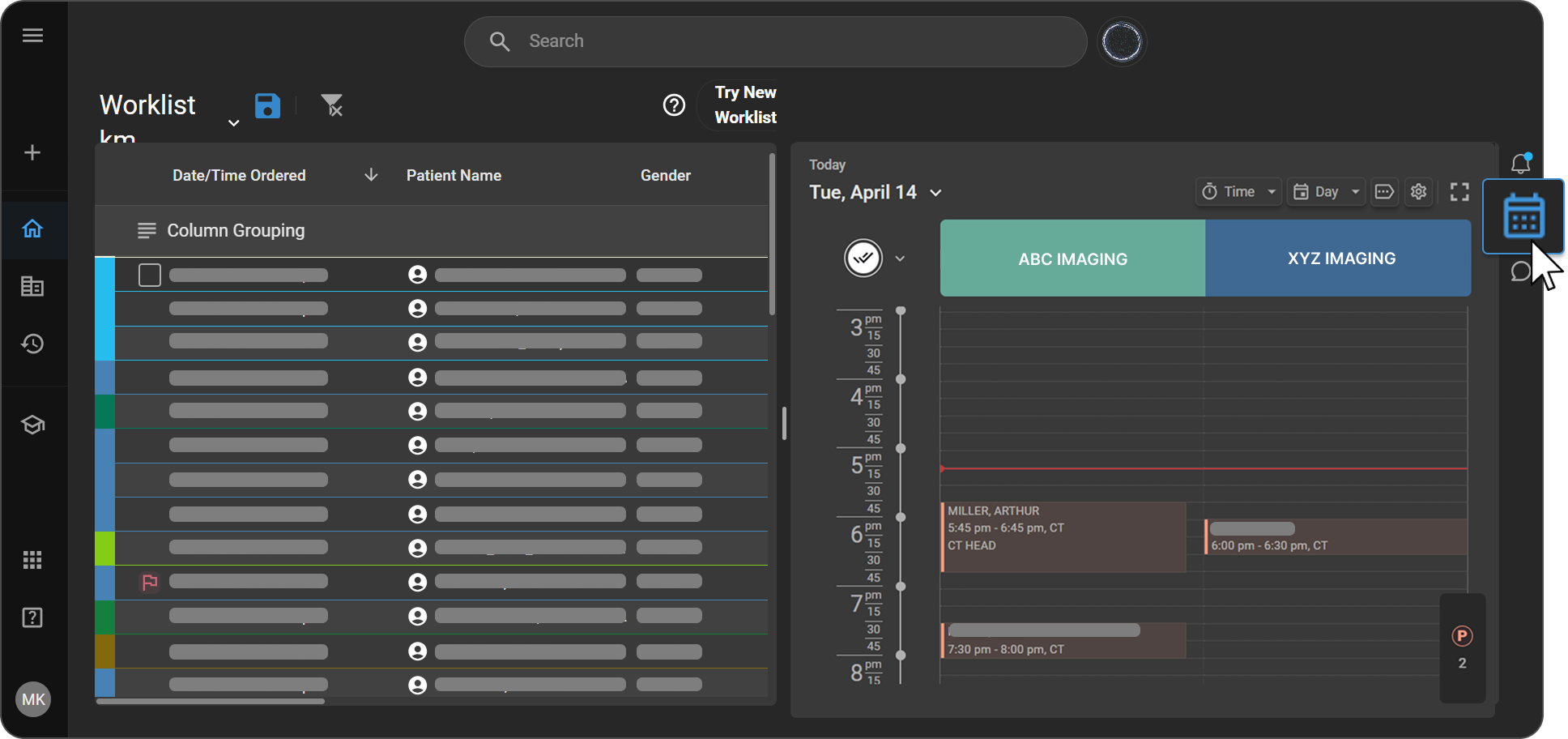
Navigate to the Calendar from the right-side navigation panel.
2. Create a new entry
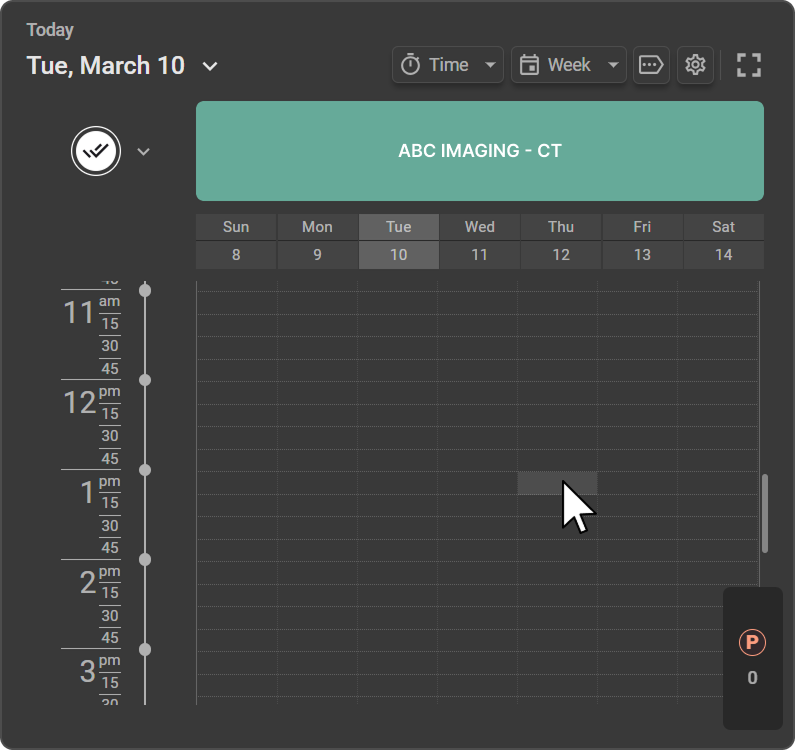
Click on the desired time slot in the calendar grid. The New Appointment window opens.
3. Select Block mode
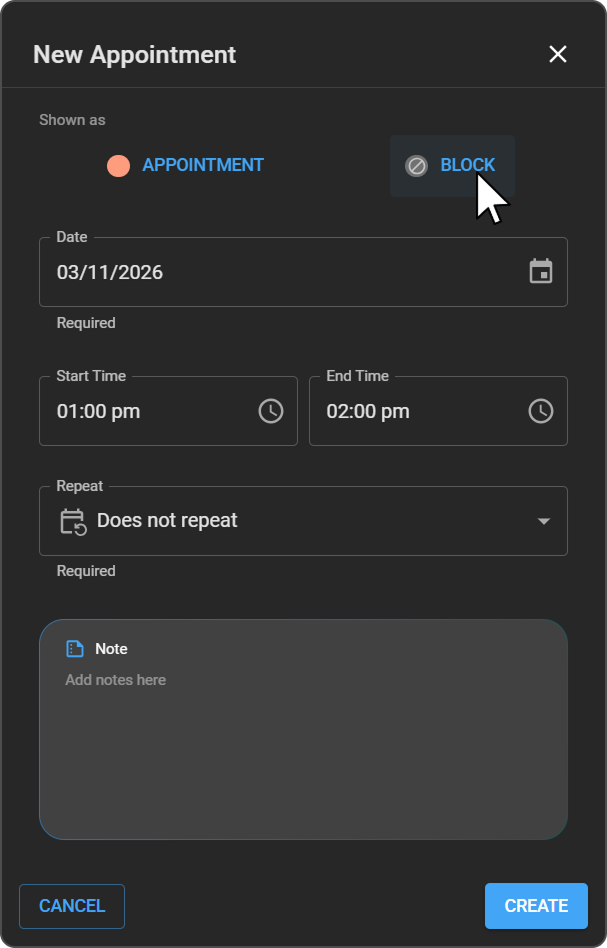
At the top of the New Appointment window, under Shown as, select Block. The form updates to show only the fields relevant to block time: Date, Start Time, End Time, Repeat, and Note.
4. Set date and time
Confirm or modify the Date and enter the Start Time and End Time for the blocked period.
5. Set recurrence
Choose whether to create a single or recurring event using the Repeat dropdown:
| Option | Description |
|---|---|
| Does not repeat | Creates a one-time block event |
| Daily | Sets a daily recurring block. Specify the repeat frequency. |
| Weekly | Sets a weekly recurring block. Select or unselect the days (Sunday–Saturday) and specify the repeat frequency. |
6. Add notes (optional)
Enter any relevant information in the Note field (e.g. Meeting, Equipment Maintenance).
7. Save the block
Click Create to save the blocked time in the calendar.
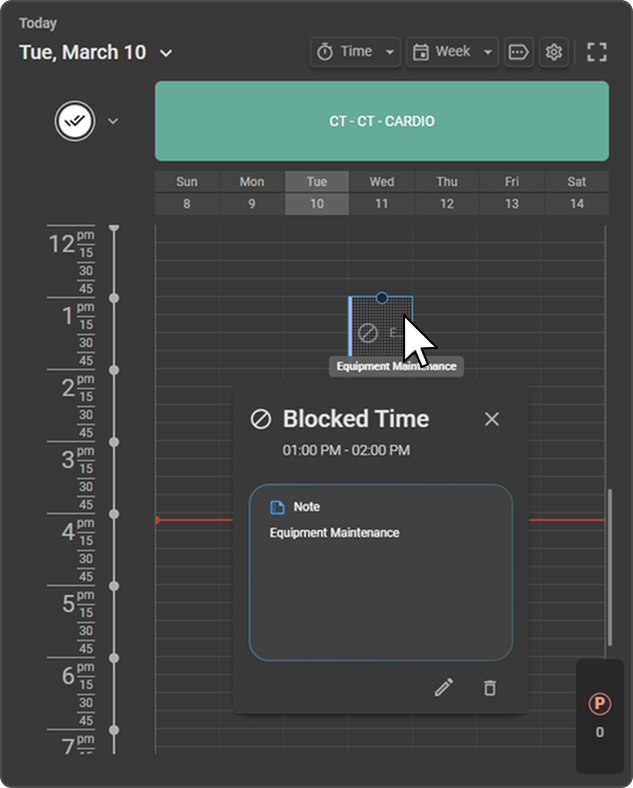
Once created, the block appears directly in the calendar timeline for the selected date and time range. This visual indicator helps users quickly identify periods when appointments cannot be scheduled.
Managing a Blocked Time
To view or manage an existing block, click on the blocked time slot in the calendar. The Blocked Time panel opens, displaying the block duration and any associated notes.
From this panel, you can:
- Edit — Click the Edit (pencil) icon to modify the block details, such as the date, time, repeat settings, or notes.
- Delete — Click the Delete (trash) icon to remove the block from the calendar, making the time slot available for scheduling again.