Product: Send New Objects Only
Overview
Send New Objects Only is now available. It is a per-destination option that sends only the objects a destination does not already hold, instead of re-transmitting the whole study every time.
What's New
1. Send New Objects Only
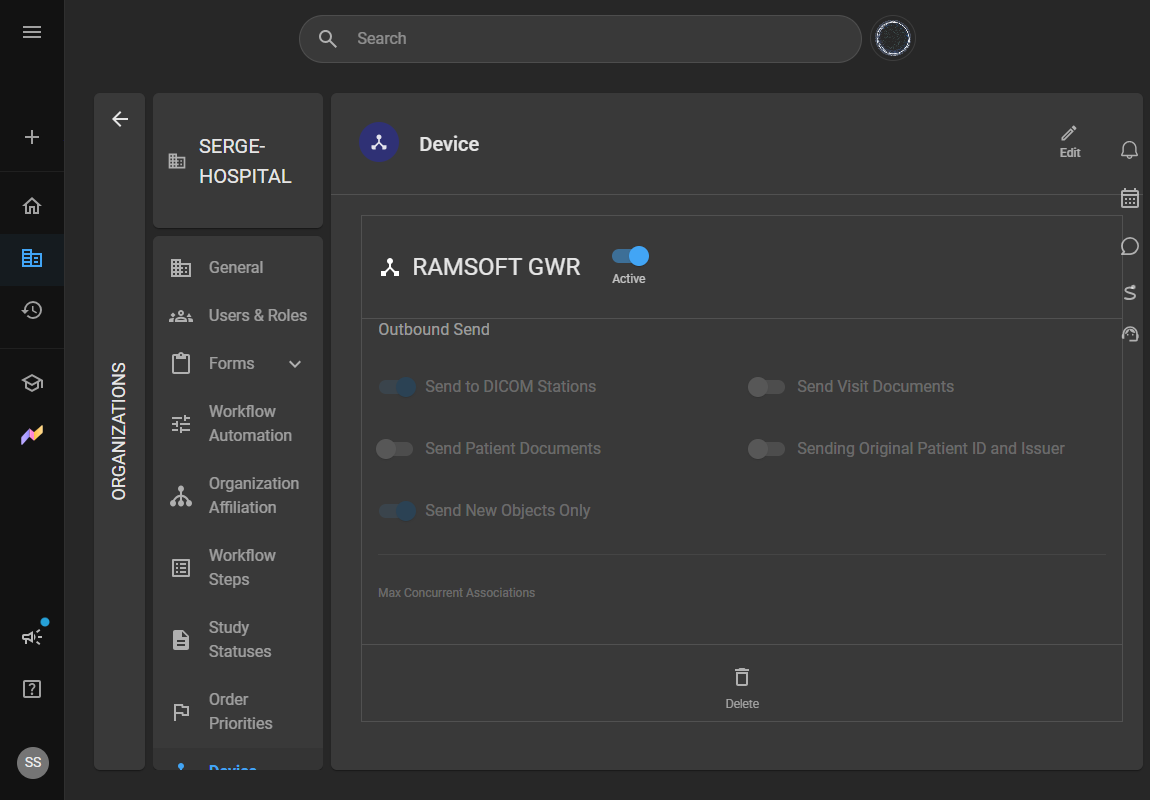
What changed:
Previously, re-sending a study transmitted every object in it — including the ones the destination had already received. When additional objects arrived for a study that had already been routed, the whole study went out again.
With Send New Objects Only enabled on a DICOM station, OmegaAI Link asks that destination which of the queued objects it already holds and transmits only the missing ones. A study-level query runs first: if the destination does not hold the study at all, the whole study is sent. If it does, one exact-match instance-level query per queued object determines what actually needs to go.
Because the answer comes from the destination at the moment of sending, there is no stored history to drift out of date — and no time limit on how long after an earlier send the new objects can arrive.
Benefit:
Repeat sends to the same destination move far less data. The saving grows with how much of the study the destination already has, which makes the biggest difference on the common case of a few new objects arriving for a study that was routed days or weeks earlier.
The option covers every DICOM object in a study, not only images — structured reports, key object selections, presentation states and encapsulated PDFs are diffed the same way.
Important Notes
-
Ensure OmegaAI Link is updated to the current version before enabling this feature.
-
The option is set per DICOM station and is off by default. Existing destinations behave exactly as they did before until it is switched on.
-
It applies to every study-send path to that station: automatic routing, the Workflow Automation Send Study action, and a manual Send Study from the worklist.
-
If the destination cannot answer an instance-level DICOM query — unsupported, rejected, or timed out — the full study is sent. Objects are never skipped when the result is uncertain.
-
The option is available on DICOM stations. It does not apply to DICOM Web destinations, which have no equivalent option.
-
Targeted object pushes generated by IOCM are never diffed against the destination, so an IOCM notification is always delivered.
-
The DICOM Log reports a send at the study level. Objects skipped because the destination already held them are counted the same as objects that were transmitted, so the log does not show a separate skipped count.
Where to Find It
Organizations → organization → Device → OmegaAI Link device → DICOM station → General → Outbound Send → Send New Objects Only