Product: Avoid Concurrent Reporting (Report access indicator)
Overview
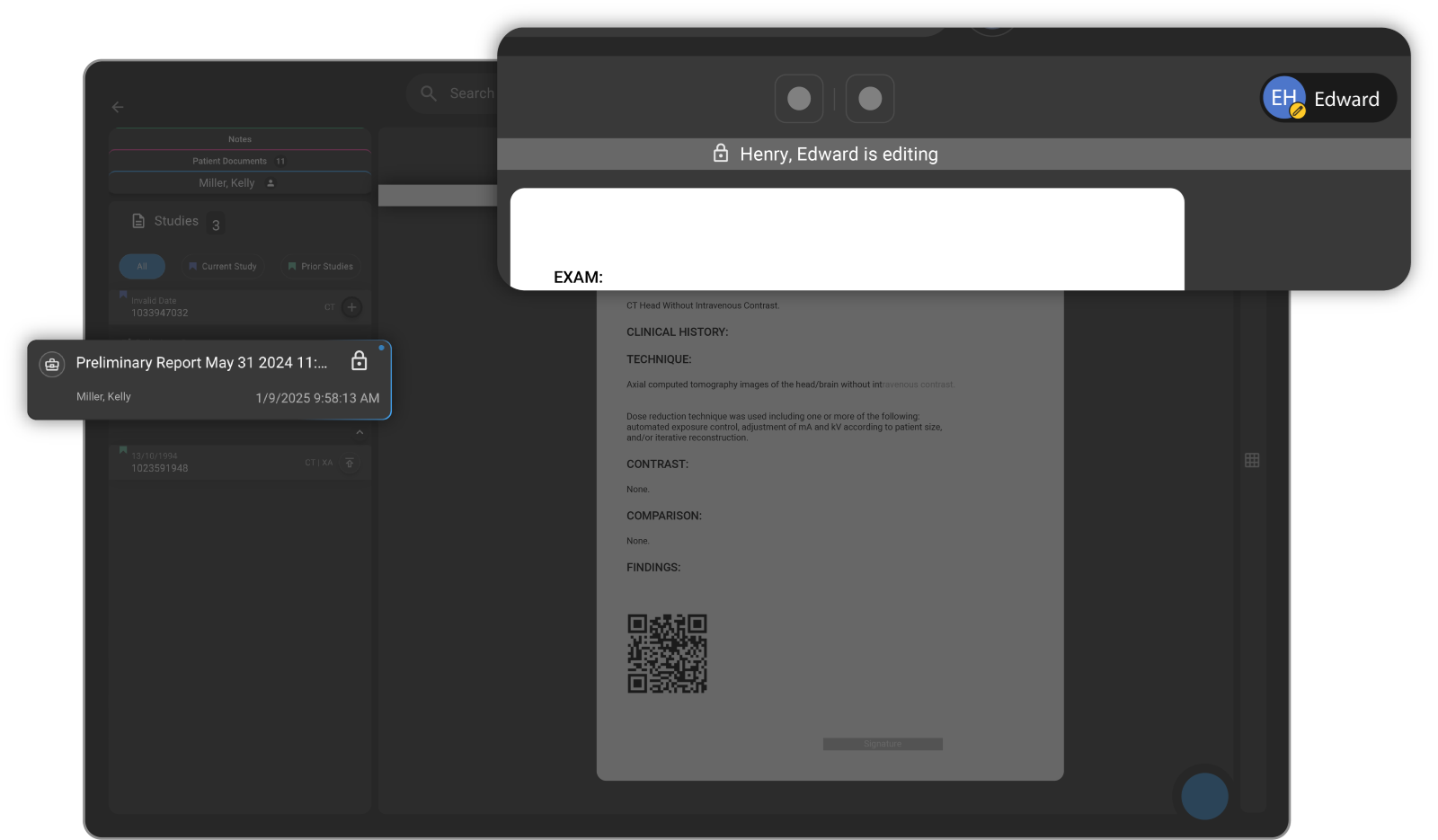
This release introduces the Avoid Concurrent Reporting feature in OmegaAI, designed to improve visibility and coordination among radiologists and clinicians by providing real-time insight into report access and activity. The Report Access Indicator shows when a report is actively being viewed or edited, helping reduce conflicts, confusion, and duplicate efforts when multiple users access the same report.
What's New
1. Real-Time Report Access Indicator
What changed:
A Report Access Indicator is now displayed to show when a report is actively being viewed or edited by another user.
Benefit:
Improves visibility into report access, helping users avoid conflicts and duplicate work.
2. Improved Collaboration and Handoff
What changed:
Users can now see who is currently accessing a report in real time.
Benefit:
Prevents accidental overwrites and enables smoother coordination between radiologists and clinicians.
3. Enhanced Workflow Efficiency
What changed:
Real-time visibility reduces the need for manual checks or communication to determine report availability.
Benefit:
Streamlines workflows by minimizing delays and uncertainty around report status.
Important Notes
-
The indicator reflects real-time access and may change dynamically as users open or close reports
-
Visibility of user activity depends on system permissions and access levels
-
This feature does not restrict access but provides awareness to avoid concurrent edits
Where to Find It
Navigation path in the application: Image Viewer → Embedded Document Viewer (EDV) → Document Explorer
The Report Access Indicator is displayed alongside reports to show active viewing or editing status.