Product: Self-Scheduling with Order Set Selection
Overview
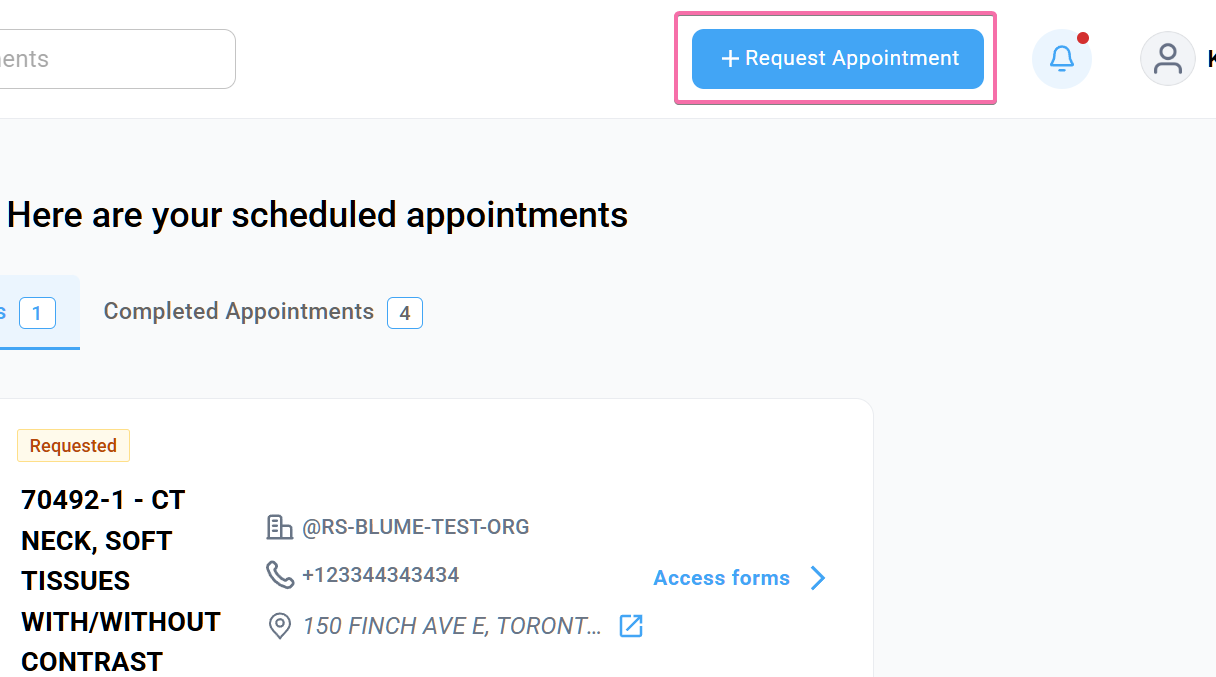
This release introduces updates to Self-Scheduling in Blume to improve usability, efficiency, and system reliability. Patients can now directly book appointments from Blume using integrated Order Set Selection.
What’s New
1. Self-Scheduling with Order Set Selection
What changed:
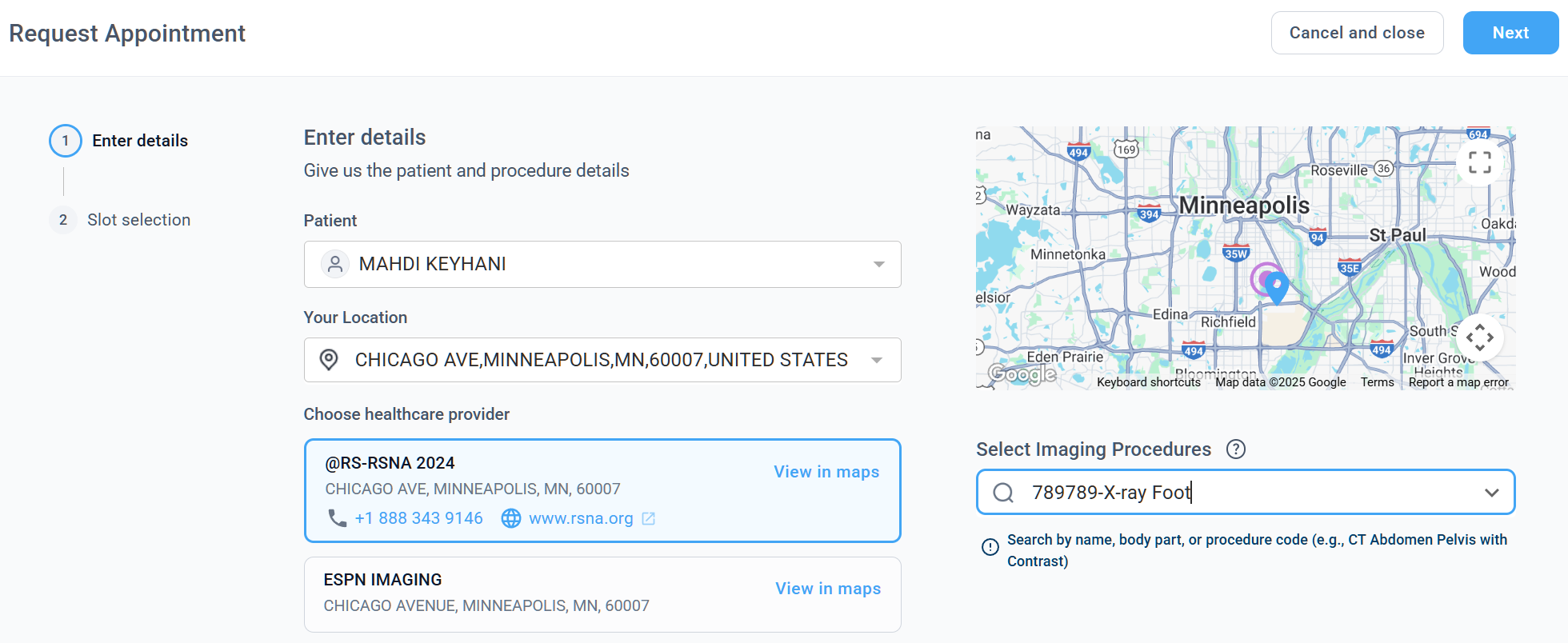
Patients can now book appointments by selecting the appropriate Order Set directly within Blume, aligning with the existing self-scheduling workflow.
Benefit:
Simplifies the booking process and ensures patients select the correct procedures, improving scheduling accuracy and reducing manual intervention.
Step 1:
Step 2:
2. Customizable Order Sets for Imaging Centres
What changed:
Imaging centers can fully customize order sets, defining available healthcare resources, specific naming conventions, and self-scheduling capabilities tailored to their individual practice needs.
Benefit:
Provides flexibility to tailor scheduling workflows based on organizational needs, improving control and operational efficiency.
3. Organization Auto-Fill for Returning Patients
What changed:
If a patient has previously booked an appointment, the associated organization details are automatically pre-filled during scheduling.
Benefit:
Reduces repetitive data entry and speeds up the appointment booking process for returning patients.
Important Notes
- Order Set availability for self-scheduling depends on the configuration by the imaging centre
- Patients can only select from configured and enabled Order Sets
- Patient Document Upload: Patients can continue to upload required documents (e.g., physician orders) within Blume; these remain accessible to imaging centres for review
- Integrated Patient Forms: Imaging centres can continue to enable forms for patients during the appointment request process to ensure complete and accurate information collection
Where to Find It
Navigation path in the application: Blume Patient Portal → Search Imaging Procedure → Request New Appointment