Product Update: Worklist Assign, Grouping & Grid Enhancements
Overview
This release brings a set of usability improvements to the OmegaAI Worklist, focused on cutting clicks out of high-frequency tasks — assigning roles to studies, filtering grouped columns, and standardizing on the modern worklist grid. Study History and the Teaching Folder also move off the legacy grid and action wheel onto the new worklist grid component, so the worklist experience is now consistent across the application.
What's New
1. Column-Aware Right-Click Assignment
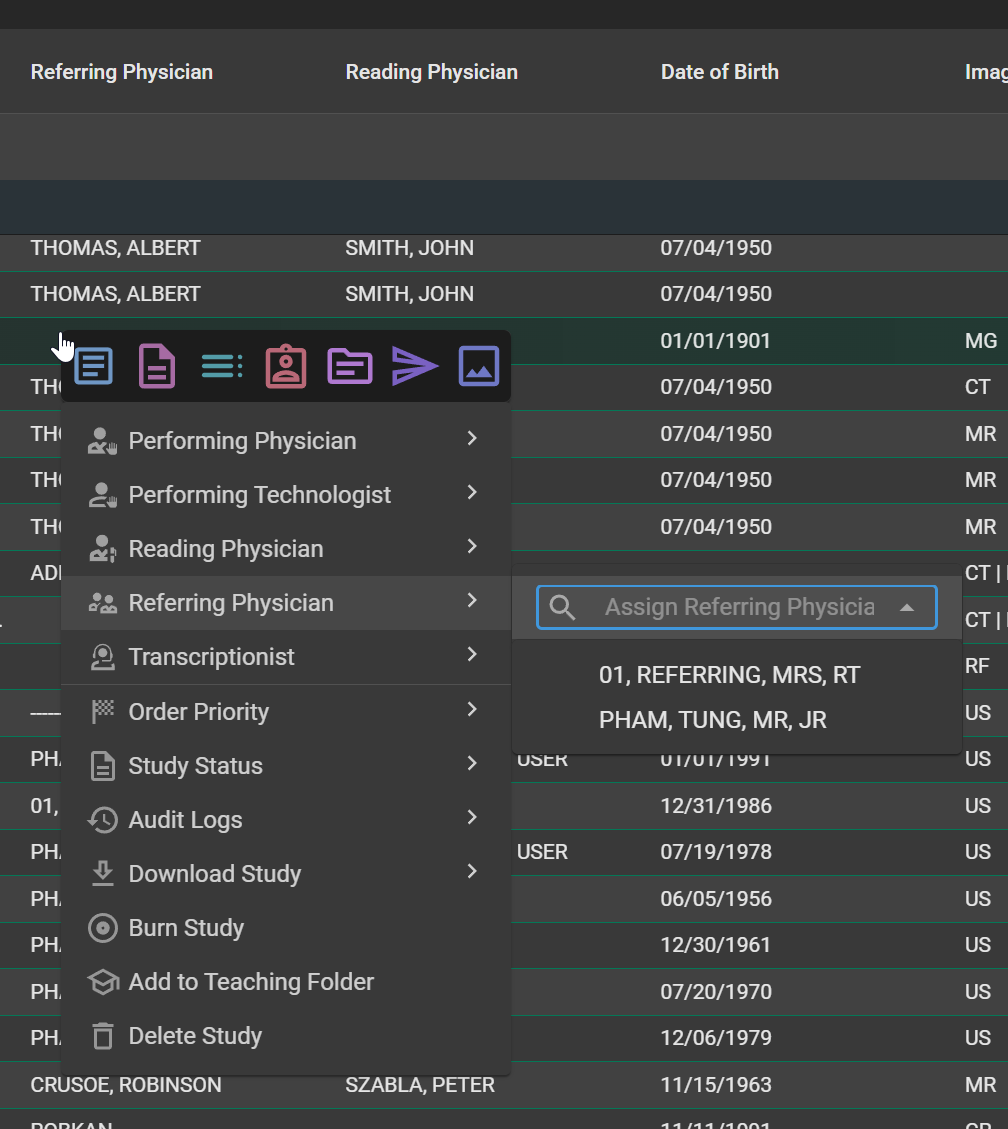
What changed:
Right-clicking on a role cell in the worklist — Performing Physician, Performing Technologist, Reading Physician, Referring Physician, Transcriptionist, Status, or Priority — now opens the right-click menu with that role already selected and the search input focused. Type a name fragment, use ArrowUp / ArrowDown to navigate matches, and press Enter to assign. Esc closes the menu without assigning. When multiple studies are selected, the same flow assigns the chosen person to all of them at once. Right-clicking outside of a role column preserves the existing default menu behavior.
Benefit:
Radiologists and worklist coordinators can complete an assignment in a single interaction — right-click, type, Enter — instead of the previous two-step process of picking the role first and then the person. The impact compounds on high-volume worklists where assignments happen dozens of times per shift.
2. Filters on Grouped Columns
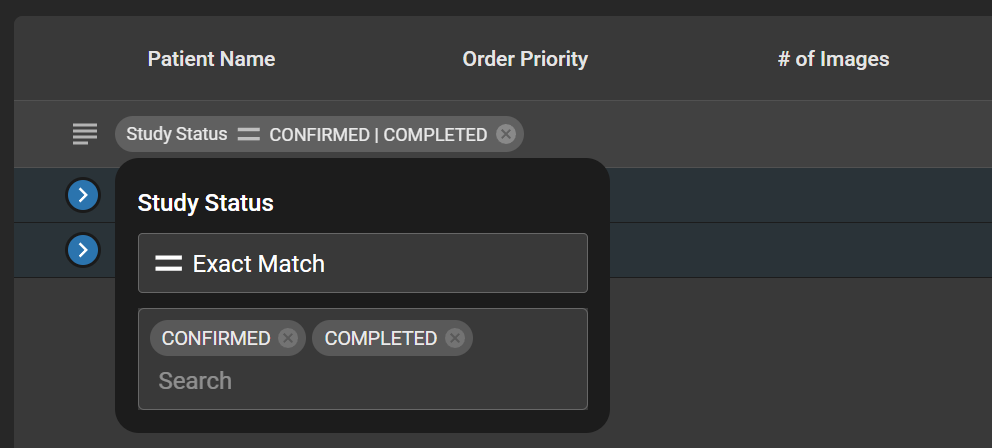
What changed:
When a column is dragged into the grouping section, the column can now be filtered directly from its group bubble. Clicking the bubble exposes a filter input, and the active filter indicator stays inside the bubble — not as a separate pill at the top of the worklist. If a column is already filtered when it is grouped, the existing filter pill automatically moves into the group bubble. Filters on grouped columns can be cleared independently without removing the grouping itself.
Benefit:
Users no longer have to apply a filter before grouping, and there is no longer any ambiguity about which filter belongs to which group. Complex grouped views — for example, grouping by Modality and then narrowing to CT and MR — are now intuitive and self-describing.
3. New Grid in Study History and Teaching Folder
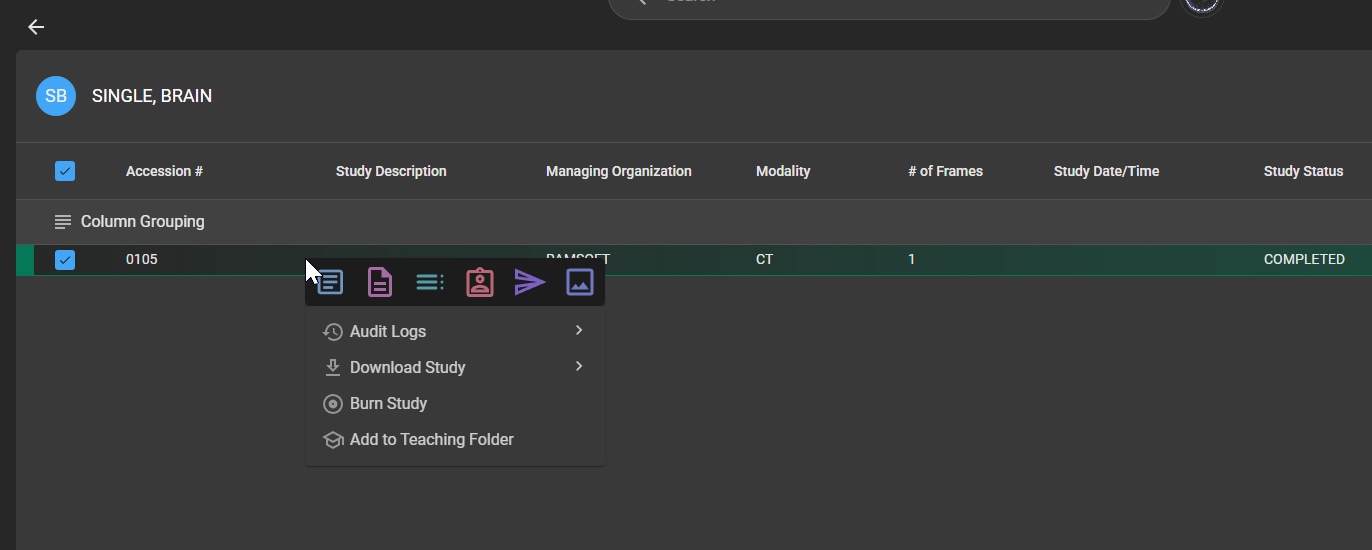
What changed:
Study History and the Teaching Folder have been migrated off the legacy grid and action wheel onto the new worklist grid component. Both areas now use the standard worklist right-click context menu, including study navigation items such as Document Viewer, Image Viewer, and Study History, plus supports the advanced features such as search-as-you-type filter that already exists in the main worklist.
Benefit:
The look and feel of these screens is now consistent with the rest of the OmegaAI worklist, so users don't have to learn a separate interaction model for Study History or the Teaching Folder. Power-user features like multi-column sort and the advanced filter become available where they previously weren't.
Important Notes
- UAC respected on assignment: The role is only pre-selected in the right-click menu if the current user has permission to assign that role. If not, the menu falls back to its default behavior.
- Grouped-column filter scope: Clearing a group-level filter removes only the filter — the grouping remains intact. Removing the grouping itself clears the group, the associated filter remains intact and shown as a new filter pill.
- Legacy grid retirement: The legacy grid and action wheel are no longer available in Study History or the Teaching Folder. All existing UAC and entitlements are preserved on the new grid.
Where to Find It
- Column-aware assignment: Worklist → Right-click on any role column cell (Performing Physician, Reading Physician, etc.)
- Grouped column filters: Worklist → Drag a column into the grouping section → Click the group bubble
- Study History grid: Patient or Study context → Study History tab
- Teaching Folder grid: Worklist → Teaching Folder