Product Update: Client-Facing UI – Apps Removal
Overview
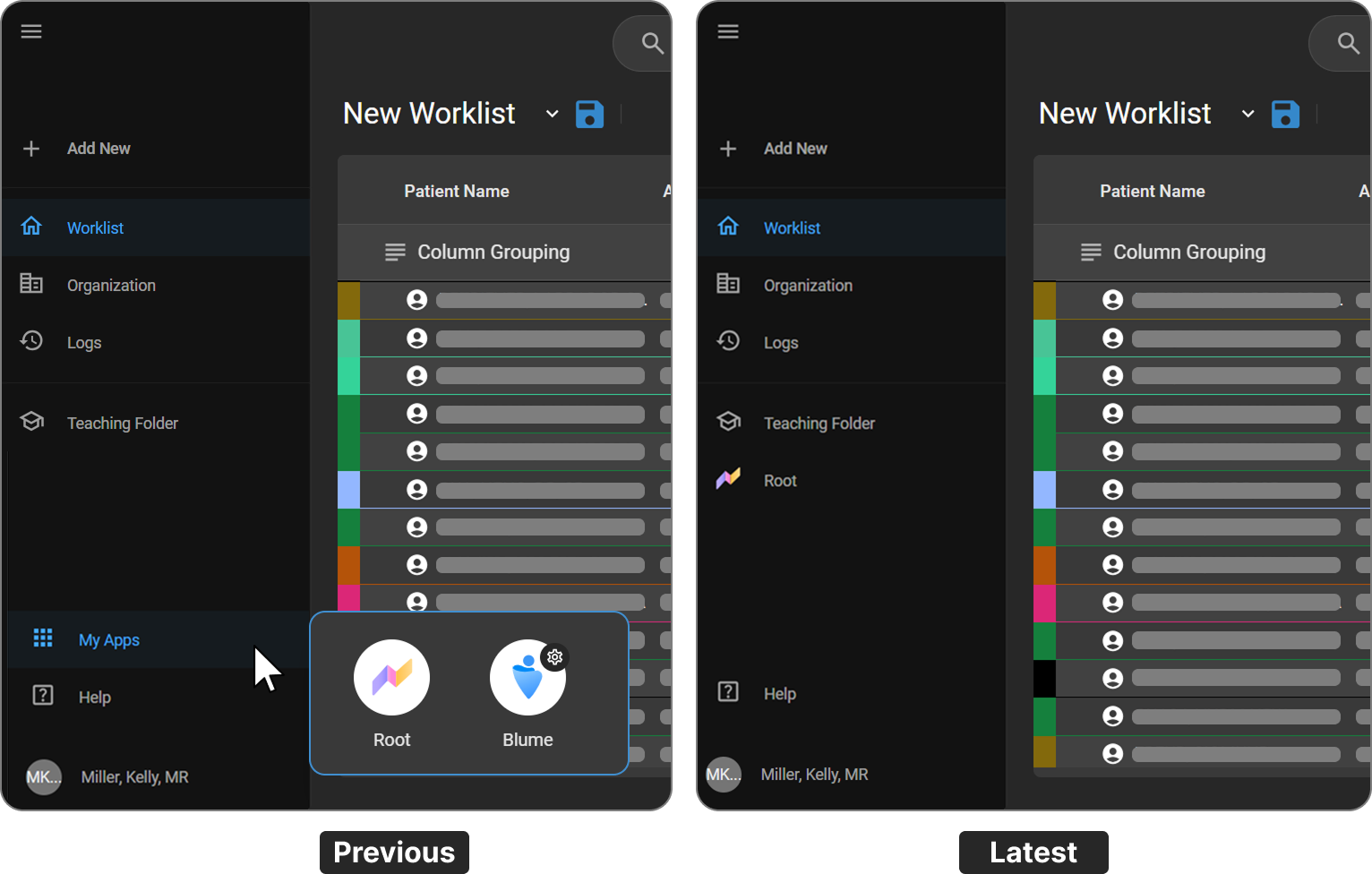
This release introduces a streamlined navigation experience by removing the My Apps application switcher. Previously, users accessed Root analytics and Blume forms through a separate app-selection interface. These are now directly integrated into the main navigation, reducing clicks and improving workflow efficiency.
What's New
1. Removal of the My Apps Switcher
What changed:
The My Apps menu — which previously required users to select between the Root and Blume app tiles — has been removed from the interface.
Benefit:
Eliminates an extra navigation step, giving users faster and more direct access to key areas of the application.
2. Root Added as a Direct Navigation Item
What changed:
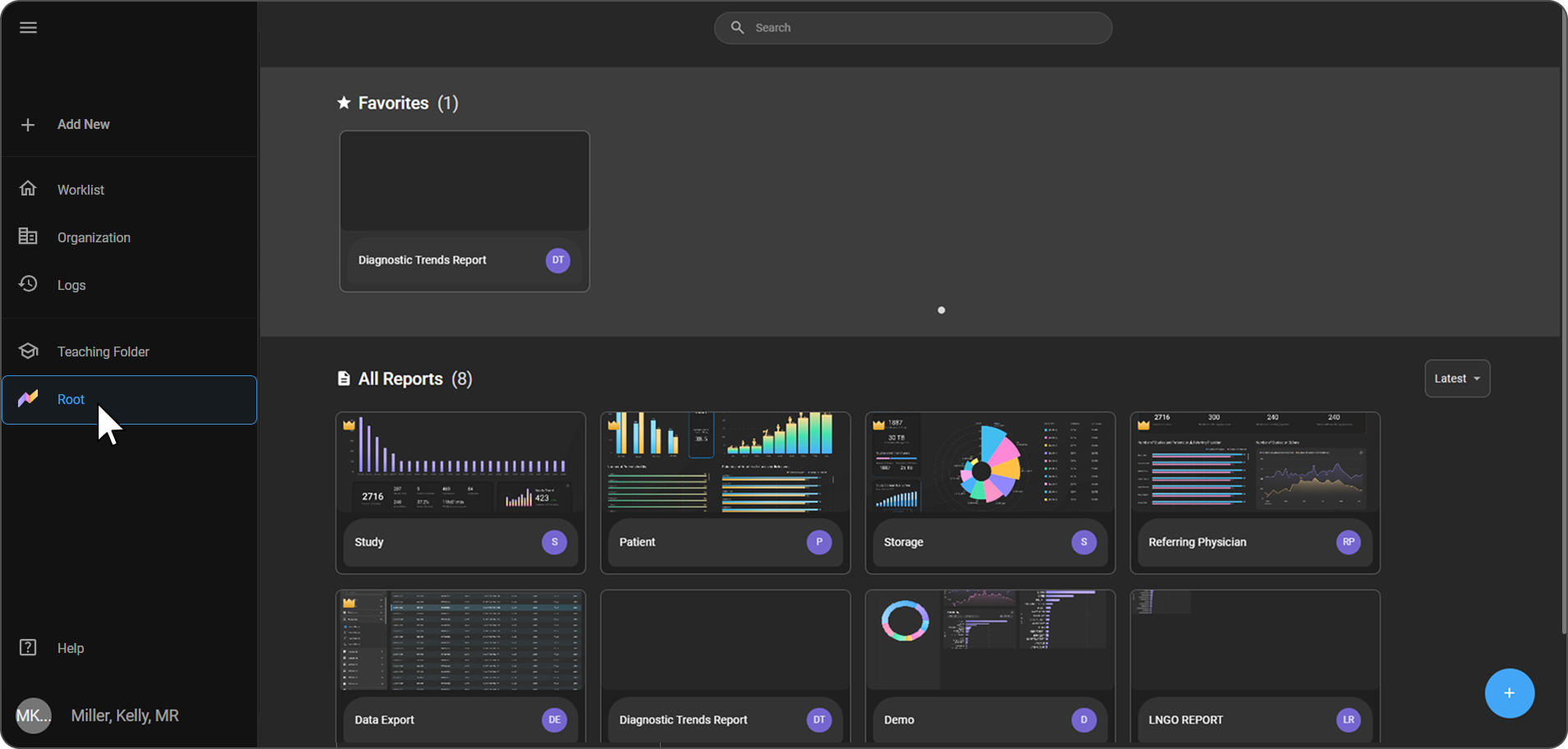
Root is now accessible as a dedicated item in the left sidebar navigation, alongside Worklist, Organization, Logs, and Teaching Folder.
Benefit:
Users can navigate directly to Root analytics without going through an intermediate app-selection screen.
3. Blume Forms Accessed via Organization
What changed:
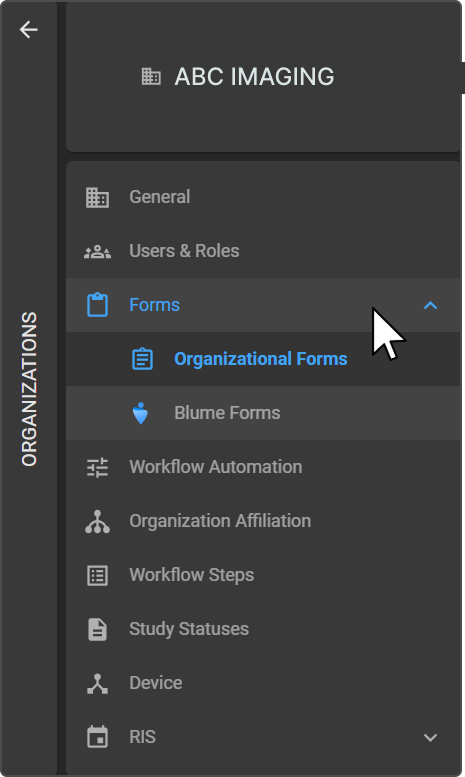
Blume Forms configuration is now accessed through the Organization settings panel under Forms → Blume Forms, rather than through a separate Blume app tile.
Benefit:
Centralizes Blume configuration within the Organization settings, making it easier to manage alongside other organizational settings.
Important Notes
- The My Apps app switcher is no longer available in the interface.
- Users previously accessing Root analytics via the app tile should now use the Root item in the left sidebar.
- Blume Forms configuration options remain fully available under Organization → Forms → Blume Forms.
Where to Find It
| Feature | New Navigation Path |
|---|---|
| Root Analytics | Left Sidebar → Root |
| Blume Forms | Left Sidebar → Organization → Forms → Blume Forms |