RIS Setting – Procedure Codes
Adding Procedure Codes to the Organization
-
In the left panel, click Organization and open the details page for the respective organization.
-
Within the Organization details page, click RIS to expand and display the Procedure Codes option.

-
Click Procedure Codes to open the details page, where you can:
- Add new procedure codes
- Edit existing procedure codes
- Delete existing procedure codes

-
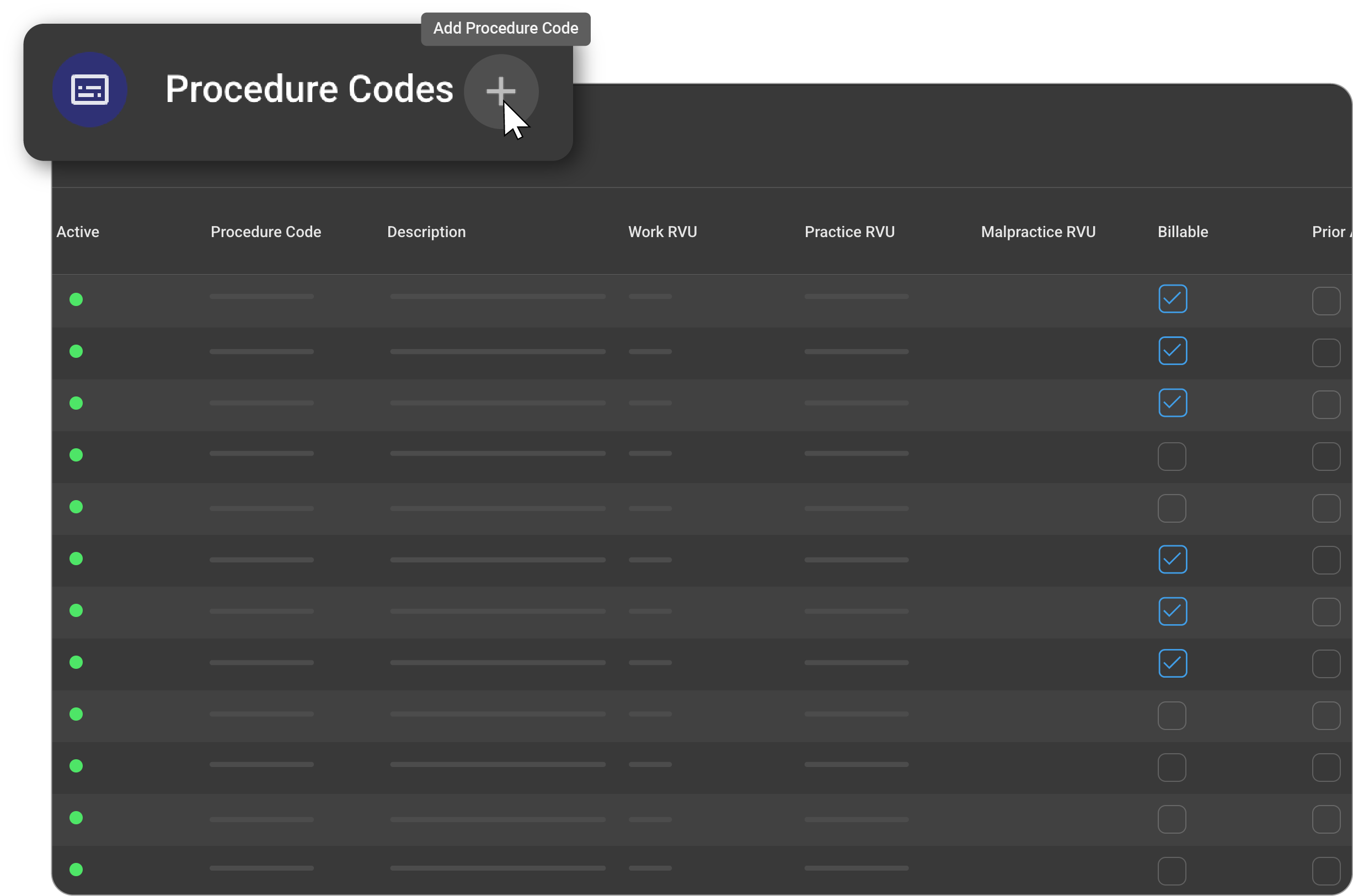
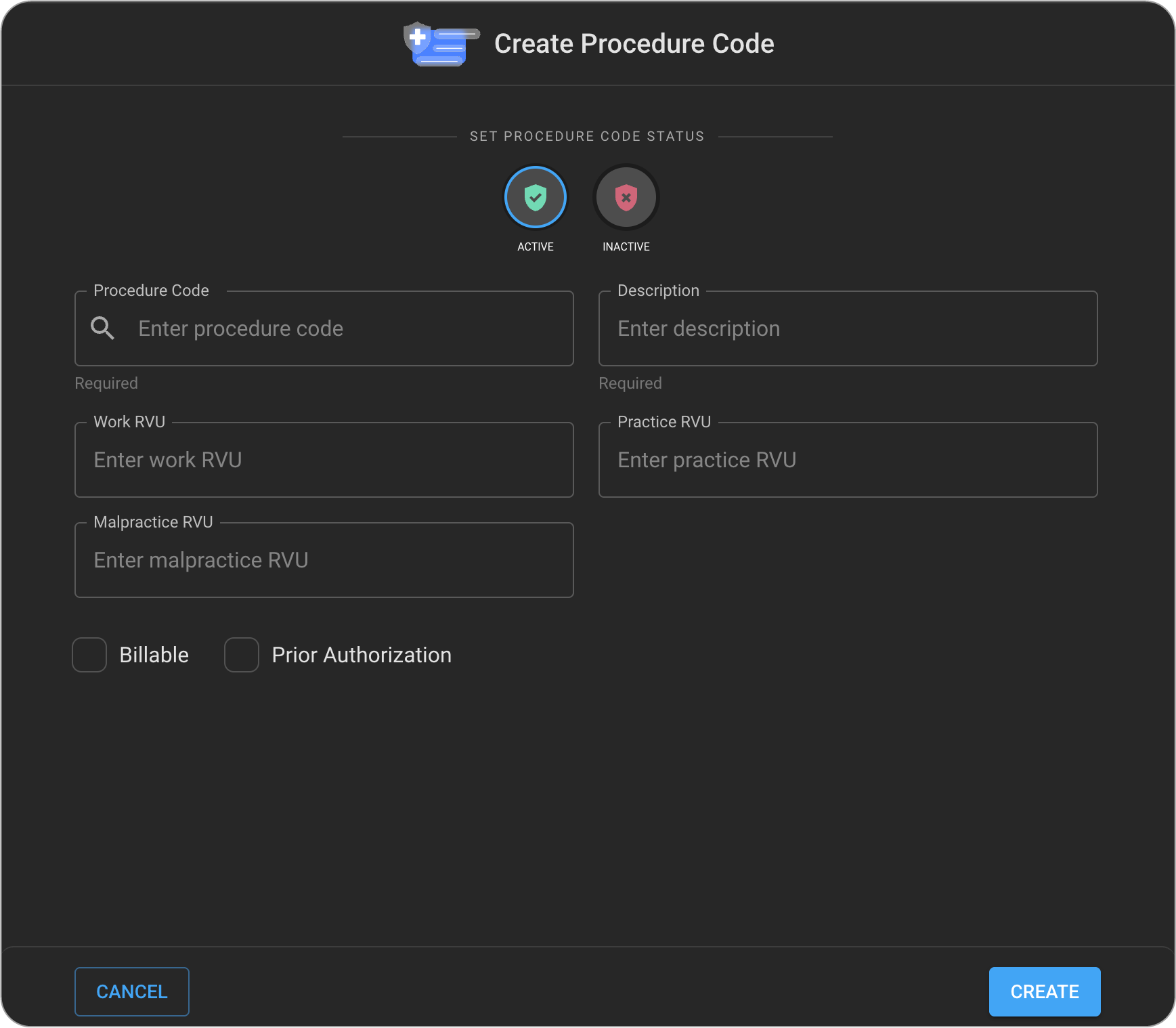
To add a new procedure code, click the + icon. This opens the Add New Procedure Codes drawer.
-
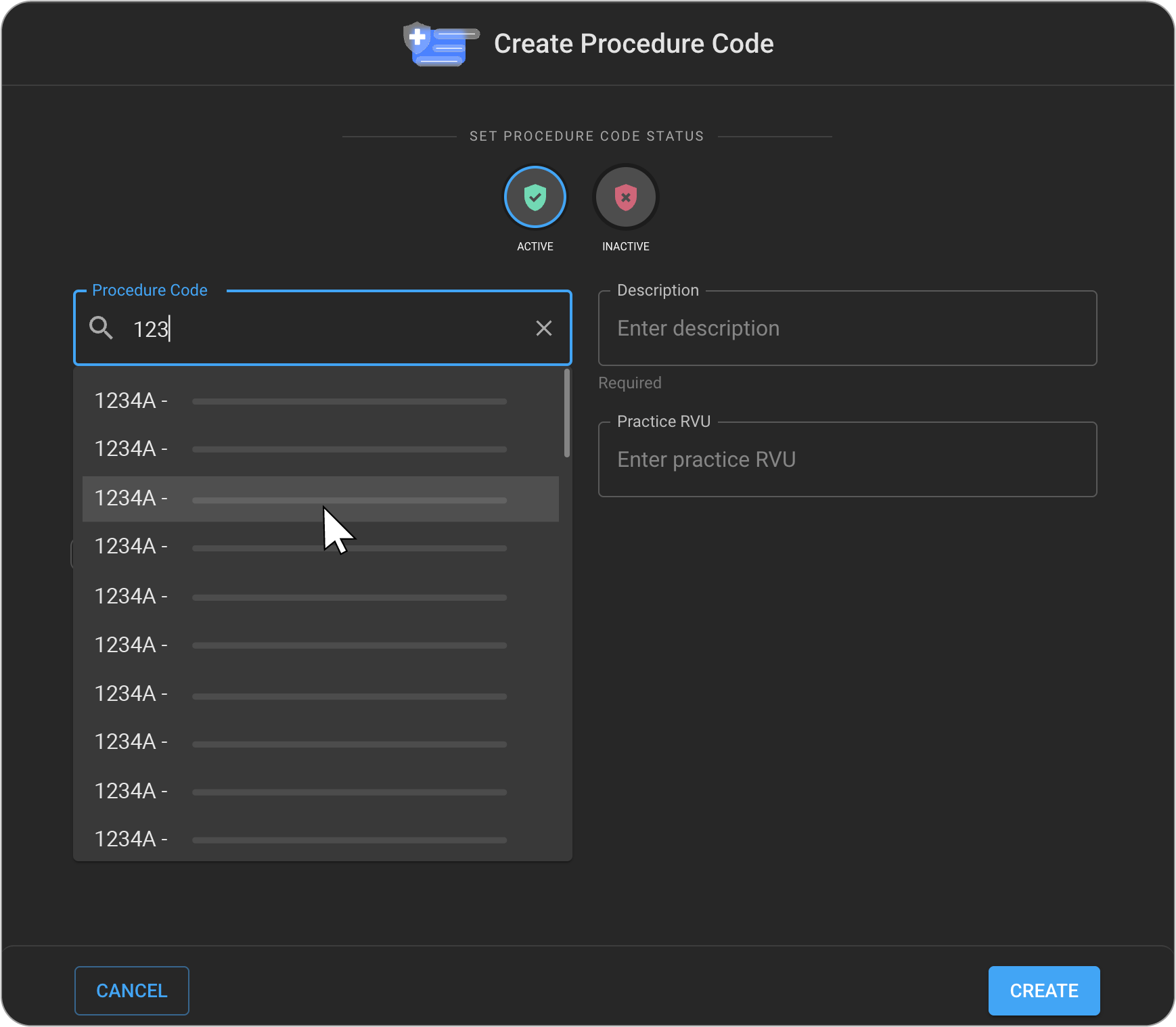
Enter the procedure code value. The system will search and suggest matching values.
- If you select a value from the drop-down, the Procedure Code and Procedure Code Description fields will be auto-populated.
-
To enter the procedure code manually, you must also fill in the Procedure Code Description field.
-
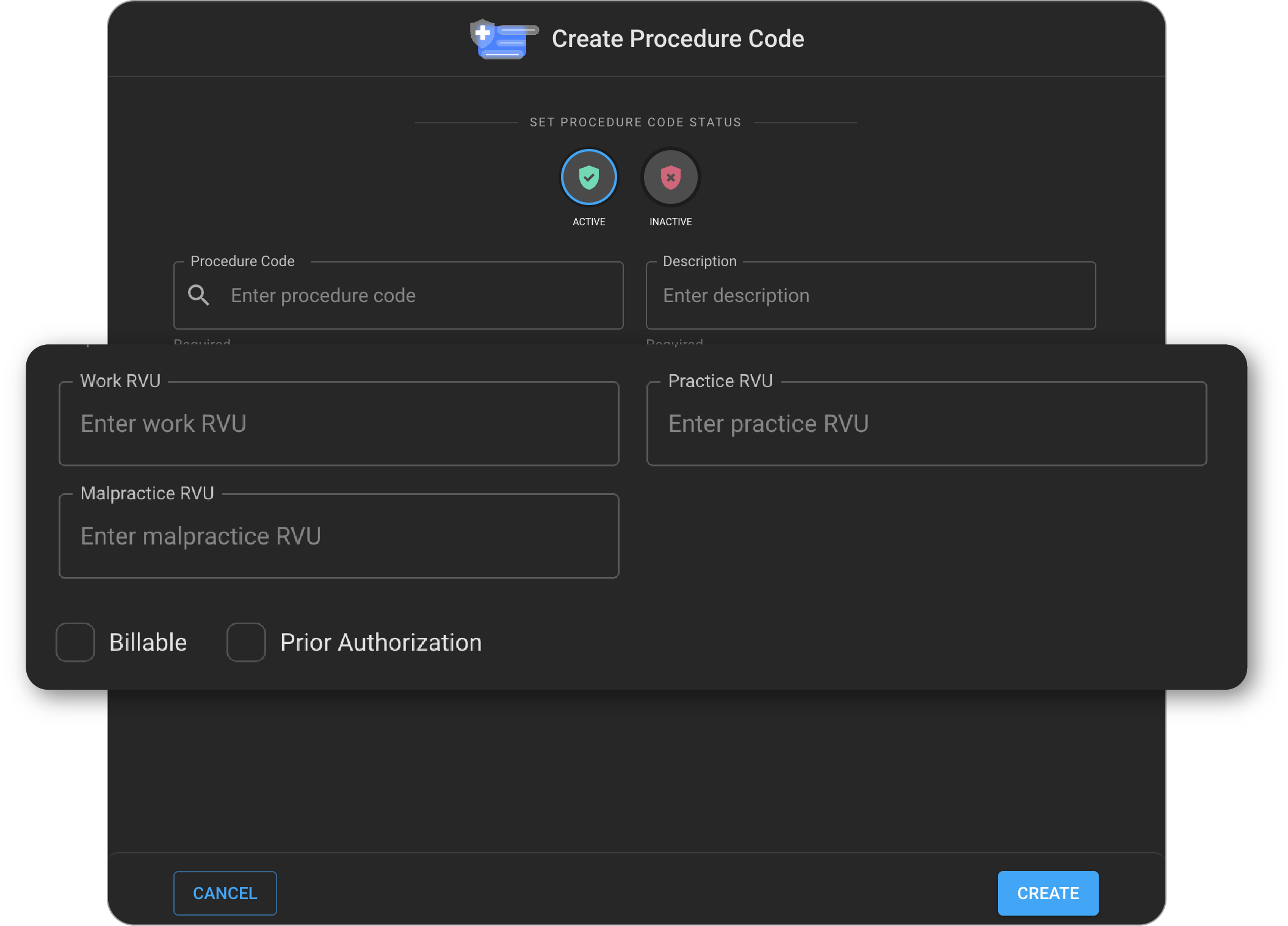
Enter the Work RVU, Practice RVU and Malpractice RVU values.
-
If the procedure is billable and requires prior authorization, select the appropriate checkboxes. Then click Create to create the new procedure code record.
-
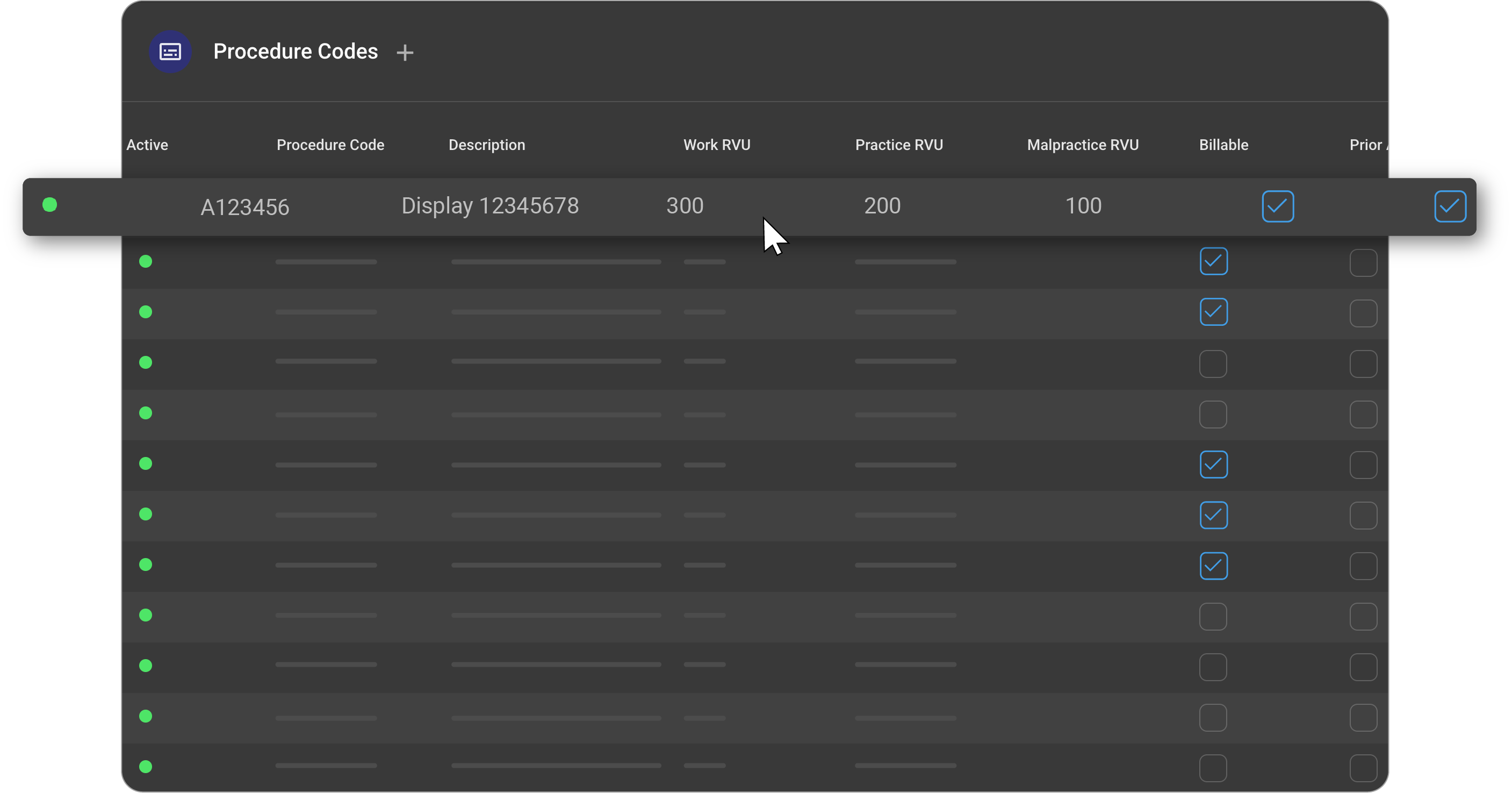
Once saved, the procedure code will appear in the Procedure Codes list.
Editing/Deleting a Procedure Code Record
-
On the Procedure Codes list page, hover over the desired procedure code record.
- The Edit and Delete icons will appear.

-
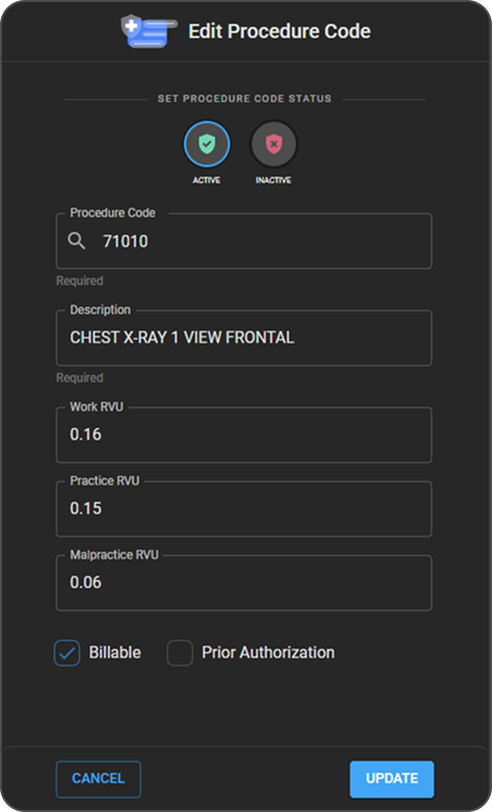
When you click on the Edit icon, the Edit Procedure Code drawer will open.
-
Users should be able to edit the details, and on clicking on the Update button, the details will be saved.
-
To delete a procedure code:
- Click and hold the Delete icon.
- The corresponding procedure code record will be removed and will no longer appear in the Procedure Codes list.

-
Important Notes:
-
Note 1 – If the procedure code is part of one or more Order Sets but not part of any Studies, you must first remove it from all associated Order Sets before deletion.
-
Note 2 – If the procedure code is part of one or more Studies, deletion is not allowed. In such cases, you can only mark the procedure code as Inactive.
-