MPR Intensity Projection Modes
Overview
Intensity projection methods in MPR Mode define how voxel values across a selected slab thickness are combined to produce a 2D image. OmegaAI supports three methods — Maximum Intensity Projection (MIP), Average Intensity Projection (AveIP), and Minimum Intensity Projection (MinIP) — each optimized for different diagnostic scenarios in CT and PET/CT imaging.
To learn more about MPR Mode, see Multi-Planar Reconstruction (MPR).
Selecting a Projection Method
-
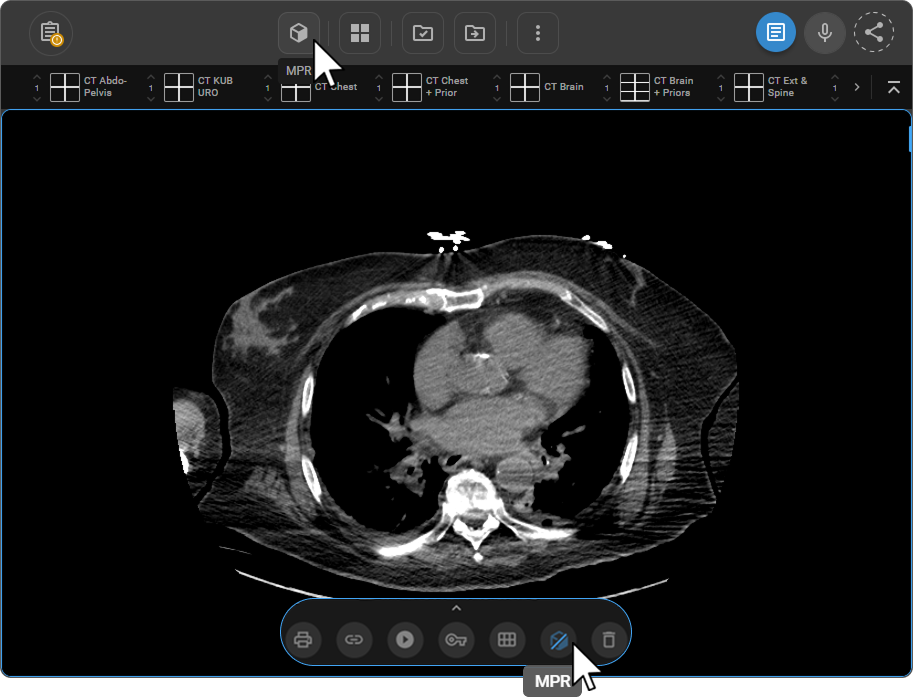
Open the study in the Image Viewer and activate MPR Mode:
-
From the Viewport Menu — click the MPR button at the bottom of the active viewport.
-
From the toolbar — add via Customize Toolbar, then click MPR.
-
-
Click the downward arrow (▼) next to the MPR icon — a popup menu appears above the Viewport Menu with the three projection options.
-
Select the desired projection method — Maximum Intensity (default), Average Intensity, or Minimum Intensity.
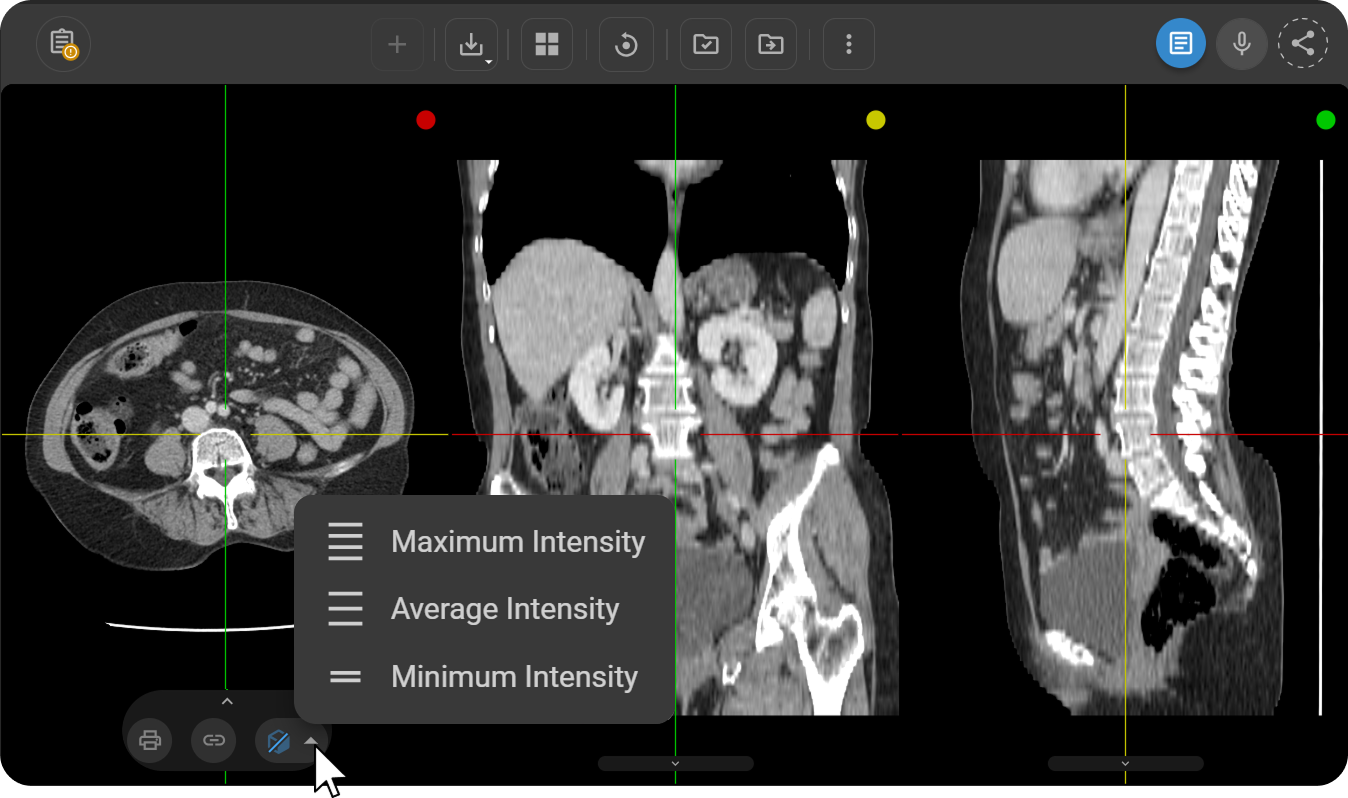
All three orthogonal views — axial, sagittal, and coronal — update immediately to reflect the selected method.
Projection Methods
Maximum Intensity Projection (MIP) — Default
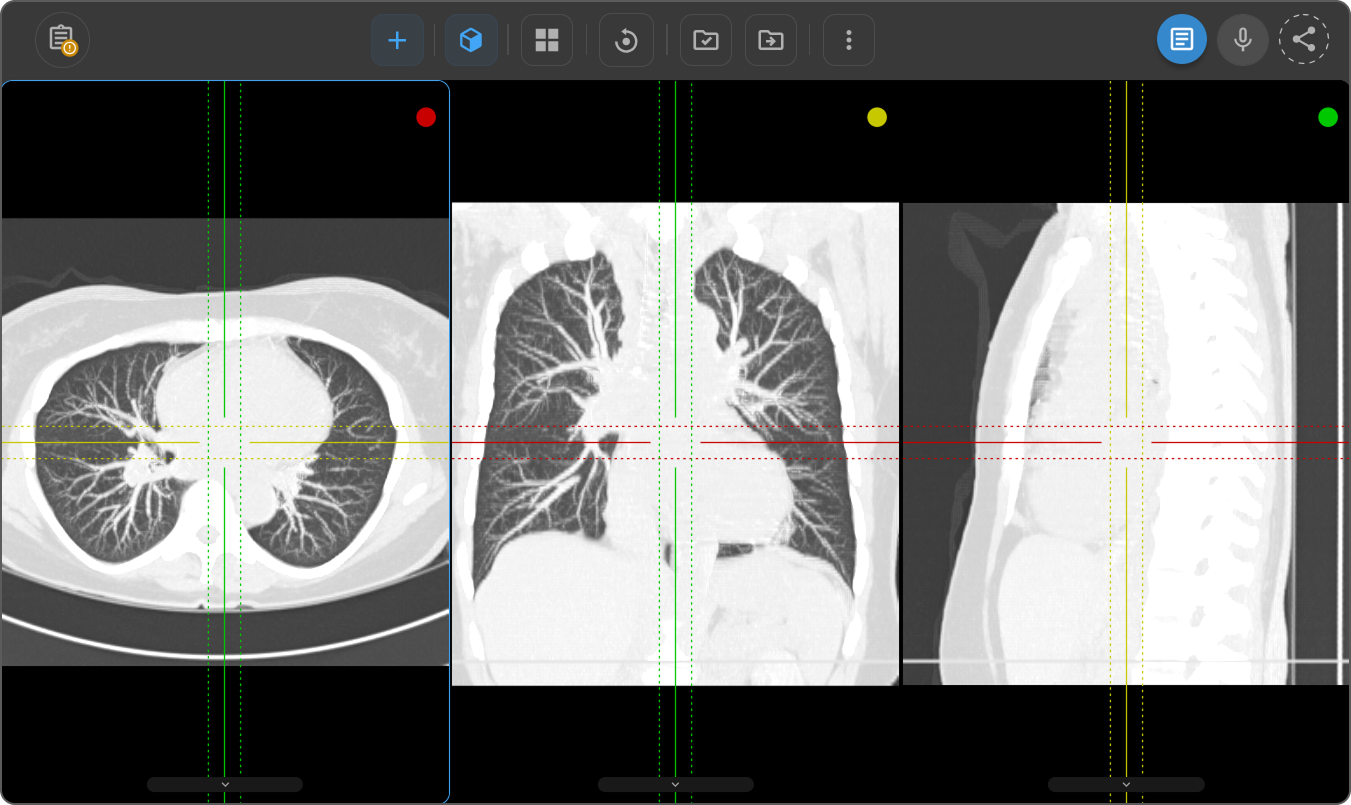
MIP projects the voxel with the highest attenuation value along each viewing direction onto the 2D image, producing a high-contrast representation of dense structures.
Clinical use: Identifying calcifications, nodules, vascular structures, and other high-attenuation findings.
Average Intensity Projection (AveIP)
AveIP calculates the mean attenuation value of all voxels along each viewing direction and represents it in the 2D image, providing a balanced view of tissue density across the volume.
Clinical use: Assessing tissue perfusion, evaluating contrast distribution, and obtaining a representative view of attenuation across the volume.
Minimum Intensity Projection (MinIP)
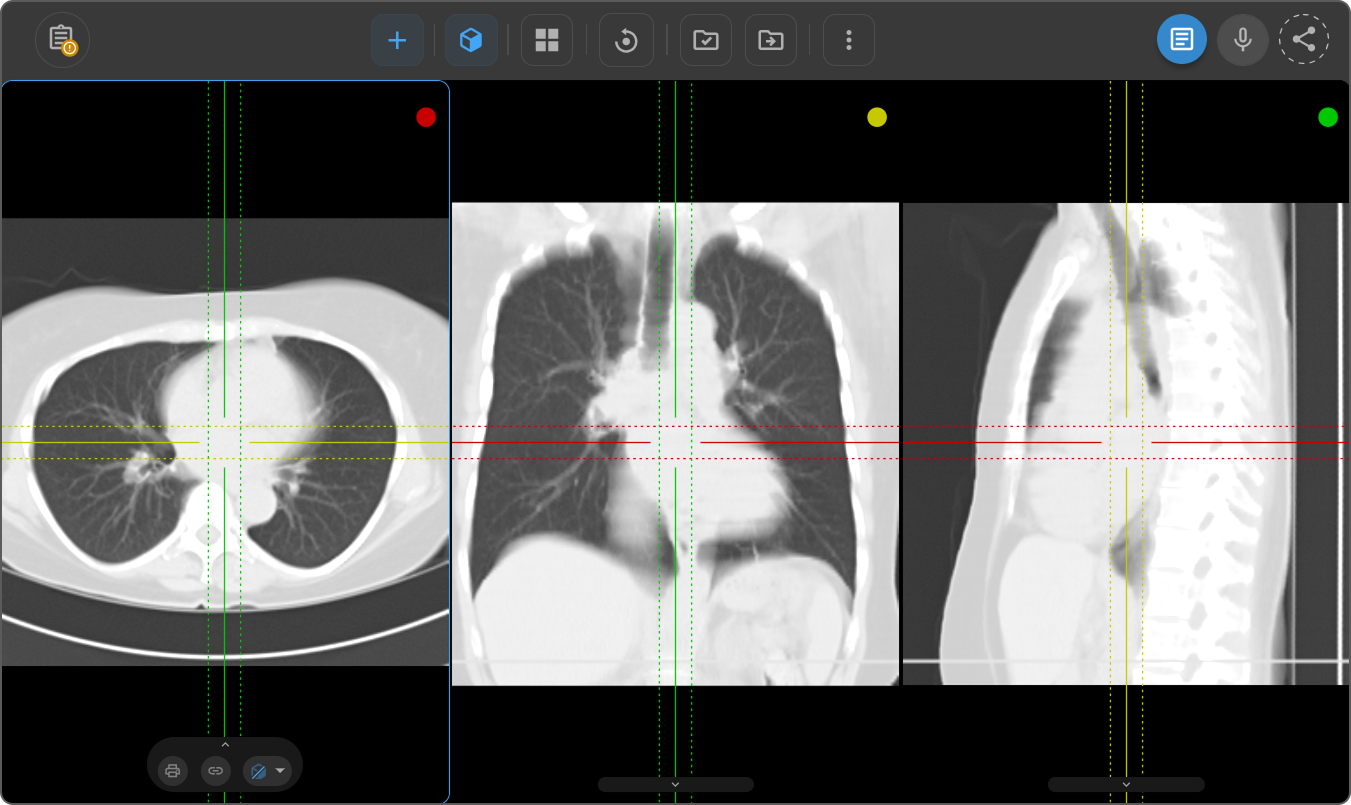
MinIP projects the voxel with the lowest attenuation value along each viewing direction onto the 2D image, suppressing high-density signals to reveal low-attenuation structures and soft tissues.
Clinical use: Detection and characterization of low-attenuation lesions, soft tissue evaluation, and airway assessment.
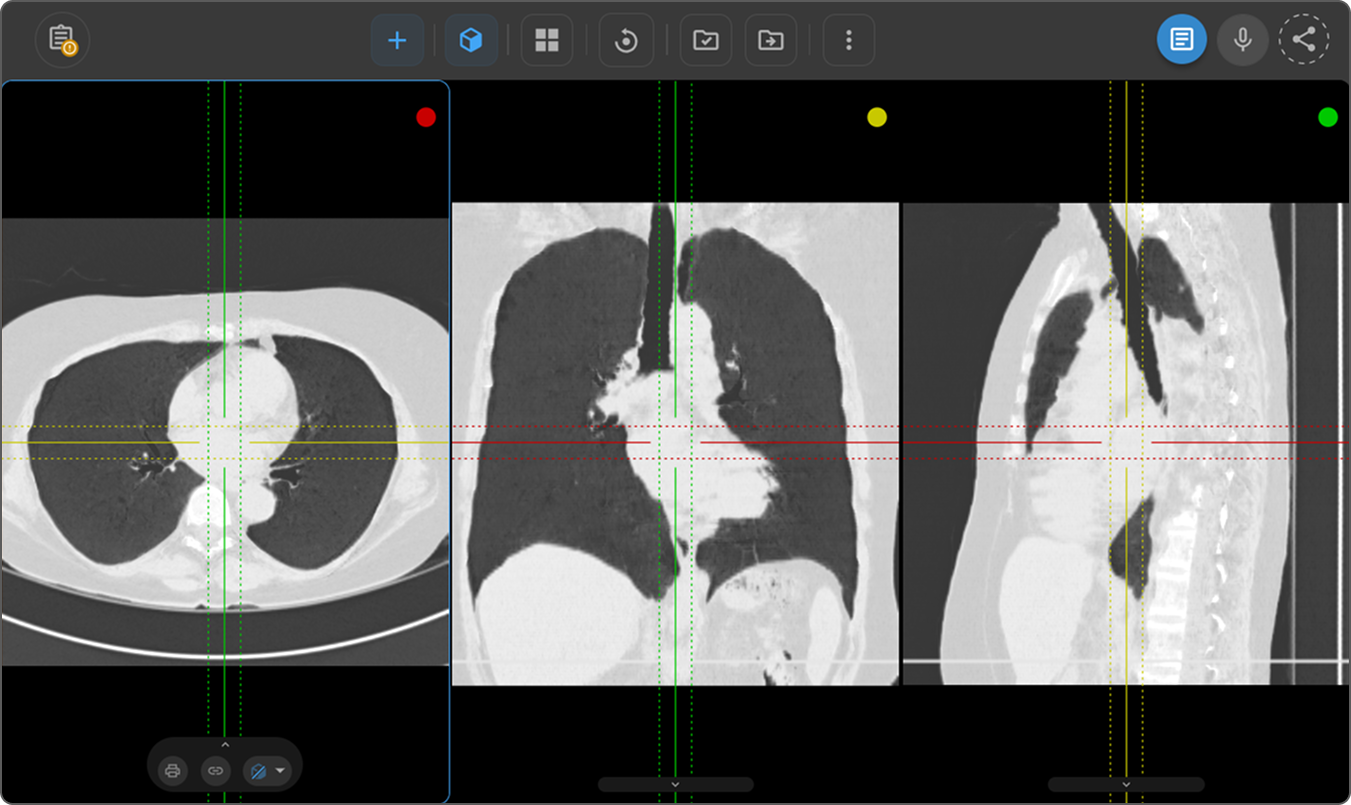
Quick Reference
| Method | UI Label | Voxel Selected | Primary Use |
|---|---|---|---|
| MIP | Maximum Intensity (default) | Highest attenuation | Calcifications, nodules, vessels, dense structures |
| AveIP | Average Intensity | Mean attenuation | Perfusion, contrast distribution, balanced tissue assessment |
| MinIP | Minimum Intensity | Lowest attenuation | Low-attenuation lesions, soft tissue, airway evaluation |