Import Images, Videos & Documents
Overview
The Import feature in OmegaAI allows you to add images, videos, and documents directly into a selected study within the Image Viewer using a simple drag-and-drop method. Imported files are processed based on their type and made available in the Study Explorer once complete.
To learn more about the Study Explorer, see Study Explorer & Image QC.
Supported File Types
| File Type | Description |
|---|---|
| JPEG | Still images imported into an existing series or as a new series |
| Documents imported into the Image Viewer or Document Viewer | |
| Text | Text files imported as hard copy DICOM objects or study documents |
| DICOM | Standard imaging files — merged into existing series or added as a new series |
| MP4 | Video files imported as video objects into the study |
Import Process
-
Open the Image Viewer and expand the Study Explorer panel on the left.
-
Locate the study card where the files need to be imported and click it to select it.
-
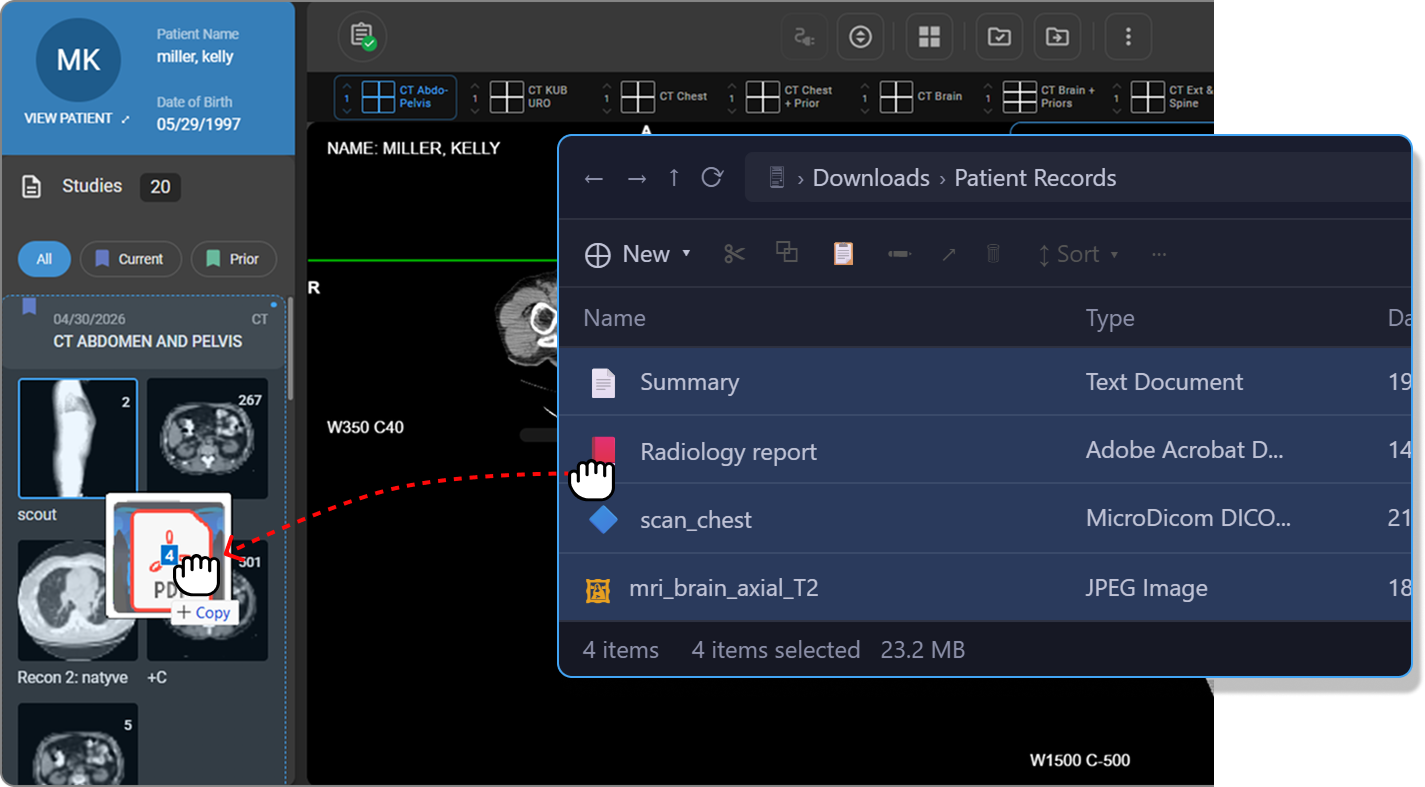
Open File Explorer (Windows) or Finder (Mac) and select one or multiple supported files.
-
Drag and drop the selected files onto the desired study card in the Study Explorer panel.
-
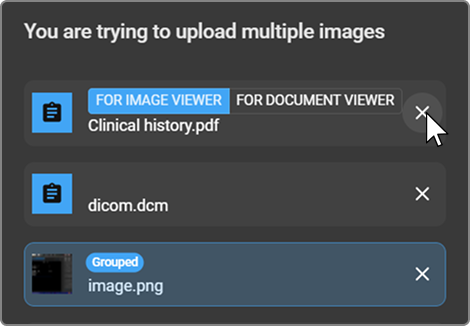
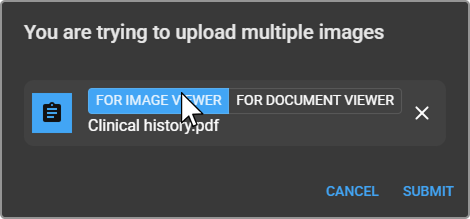
The "You are trying to upload multiple images" dialog appears, listing all selected files. For each file you can:
|
|
|
|
|
|
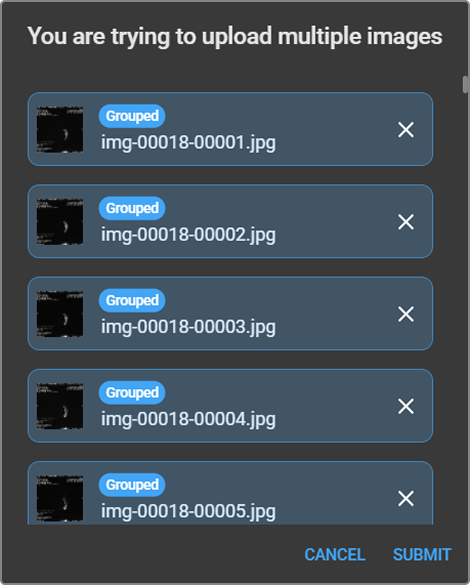
- Click Submit to proceed, or Cancel to exit.
Processing by File Type
JPEG
JPEG images can be imported into an existing series or as a separate new series. In the upload dialog, click the JPEG file row to toggle the Grouped badge on or off:
- Grouped (selected) — the JPEG is grouped with other images and imported as part of a single series.
- Not grouped (deselected) — the JPEG is imported as a separate series.
PDF and Text
Select the destination directly on the file row in the upload dialog:
- For Image Viewer — imports the file as a hard copy DICOM object into the Image Viewer.
- For Document Viewer — imports the file as a study document into the Document Viewer.
DICOM
The system checks whether the same series or frames already exist in the study:
- If additional frames are detected, they are added to the existing series.
- If the objects belong to a separate series, a new series is created automatically.
MP4
MP4 video files are imported as video objects and attached directly to the study.
Processing Time
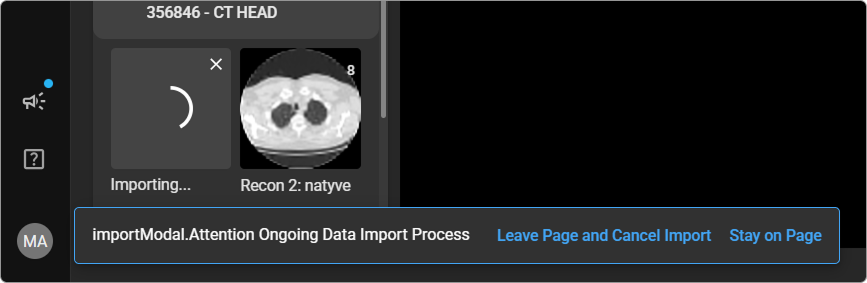
Processing time depends on the size and quantity of files imported. If you navigate away from the Image Viewer during the import process, a confirmation message prompts you to either cancel or continue the import. Once complete, all imported files are visible in the Study Explorer.